freeCodeCamp.org - CRUD API Tutorial with Node, Express, MongoDB
https://www.youtube.com/watch?v=_7UQPve99r4
>> 최신강의 / Node.js CRUD / MongoDB 적용 이라는 수요에 딱 맞는 외국 강의가 있어서 수강하였다.
코드
https://github.com/kisusu115/CRUD_Node-MongoDB
VSCode 설정
빈 폴더 프로젝트 생성 후 터미널에 npm init -y로 package.json 파일 생성시켜준다
main이 되는 index.js 생성
node index.js 로 실행
package.json의 “scripts”에 “serve”: “node index.js”라고 등록해두면 (명령어 설정)
터미널에 npm run serve 명령어 입력 시 설정해둔 명령어가 실행된다.
"scripts": {
    "test": "echo \"Error: no test specified\" && exit 1",
    "serve": "node index.js",
    "dev": "nodemon index.js"
},
MongoDB 관련 설정, Atlas
mongodb.com/atlas 로그인 후 프로젝트 생성을 해준다
무료인 M0로 deployment create 해준다
npm i mongodb / npm i mongoose
MongoDB 사용을 위해 index.js에 mongoose 코드를 적용 시켜준다
mongoose
  .connect(
    "mongodb+srv://kisusu:<password>@backenddb.je6ezhi.mongodb.net/?retryWrites=true&w=majority&appName=BackendDB"
  )
  .then(() => {
    console.log("Connected to MongoDB!!!");
    app.listen(3000, () => {
      console.log("Server is running on port 3000");
    });
  })
  .catch(() => {
    console.log("Connection Failed...");
  });
>> 여기서 <password>에는 atlas에서 설정한 비밀번호를 넣어주면 된다 ( <>까지 전부 변경 )
DB 모델 설정 - product.model.js
const mongoose = require("mongoose");

const ProductSchema = mongoose.Schema(
  {
    name: {
      type: String,
      required: [true, "Please enter a product name"],
    },

    quantity: {
      type: Number,
      required: true,
      default: 0,
    },

    price: {
      type: Number,
      required: true,
      default: 0,
    },

    image: {
      type: String,
      required: false,
    },
  },
  {
    timestamps: true,
  }
);

const Product = mongoose.model("Product", ProductSchema);

module.exports = Product;
>> 각 스키마의 타입과 필수 여부, 디폴트 값 등을 설정한다.
>> 모델을 생성할 때 'timestamps: true' 옵션을 주면 데이터베이스에 created_at, updated_at을 자동으로 생성해준다
미들웨어
>> JSON 형식의 파일과 Form URL Encoded 또한 받을 수 있게 설정한다.
CRUD 구현 - route, controller 분리 이전
//product 수정 -> put메서드 사용
app.put("/api/products/:id", async (req, res) => {
  try {
    const { id } = req.params;
    const product = await Product.findByIdAndUpdate(id, req.body);
    if (!product) {
      return res.status(404).json({ message: "Product not found" });
    }

    const updatedProduct = await Product.findById(id);
    res.status(200).json(product);
  } catch (error) {
    res.status(500).json({ message: error.message });
  }
});
기존의 코드는 index.js 파일에 HTTP 메서드와 내부 로직, 라우팅이 전부 존재해서 코드도 길고 가독성이 좋지 않았다.
Route / Controller의 분리
product.route.js
const express = require("express");
const Product = require("../models/product.model.js");
const router = express.Router();
const {
  getProducts,
  getProduct,
  createProduct,
  updateProduct,
  deleteProduct,
} = require("../controllers/product.controller.js");

// 전체 product 조회
router.get("/", getProducts);

// ID 대응하는 product 조회
router.get("/:id", getProduct);

// product 추가 및 추가 product 재조회
router.post("/", createProduct);

//product 수정 -> put메서드 사용
router.put("/:id", updateProduct);

//ID 대응되는 Product 삭제
router.delete("/:id", deleteProduct);

module.exports = router;
>> route.js에서는 라우팅에 따른 호출 함수를 정의할 뿐, 내부 로직은 보이지 않는다.
>> route 폴더를 나눔으로서 중복되었던 라우팅 부분을 줄이고 가독성있는 코드가 완성되었다.
product.controller.js 일부
const createProduct = async (req, res) => {
  try {
    const product = await Product.create(req.body);
    res.status(200).json(product);
  } catch (error) {
    res.status(500).json({ message: error.message });
  }
};

const updateProduct = async (req, res) => {
  try {
    const { id } = req.params;
    const product = await Product.findByIdAndUpdate(id, req.body);
    if (!product) {
      return res.status(404).json({ message: "Product not found" });
    }

    const updatedProduct = await Product.findById(id);
    res.status(200).json(updatedProduct);
  } catch (error) {
    res.status(500).json({ message: error.message });
  }
};
>> 기존에 index.js에 쭉 나열되었던 로직들이 Controller로 분리된 모습이다.
index.js에서는 Route에 설정된 로직을 라우팅에 따라 분리하여 수행하고
Route에서는 Controller에 정의된 함수들을 받아 사용한다.
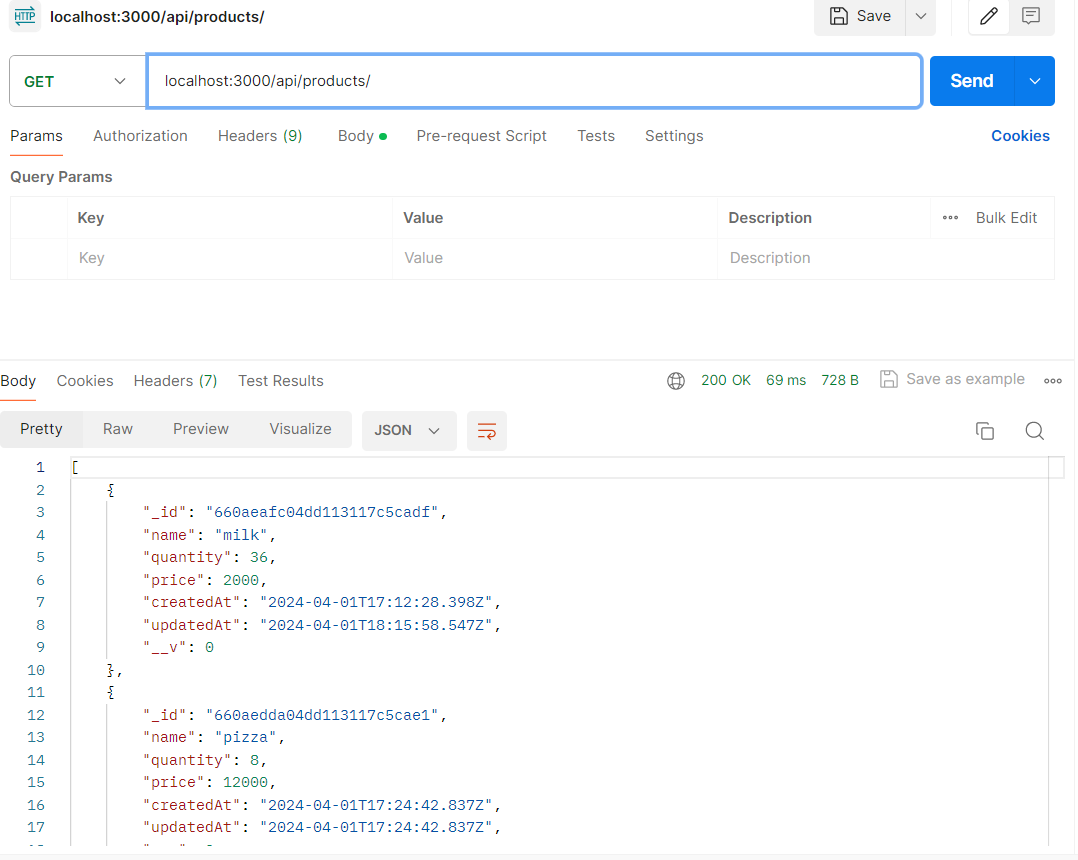
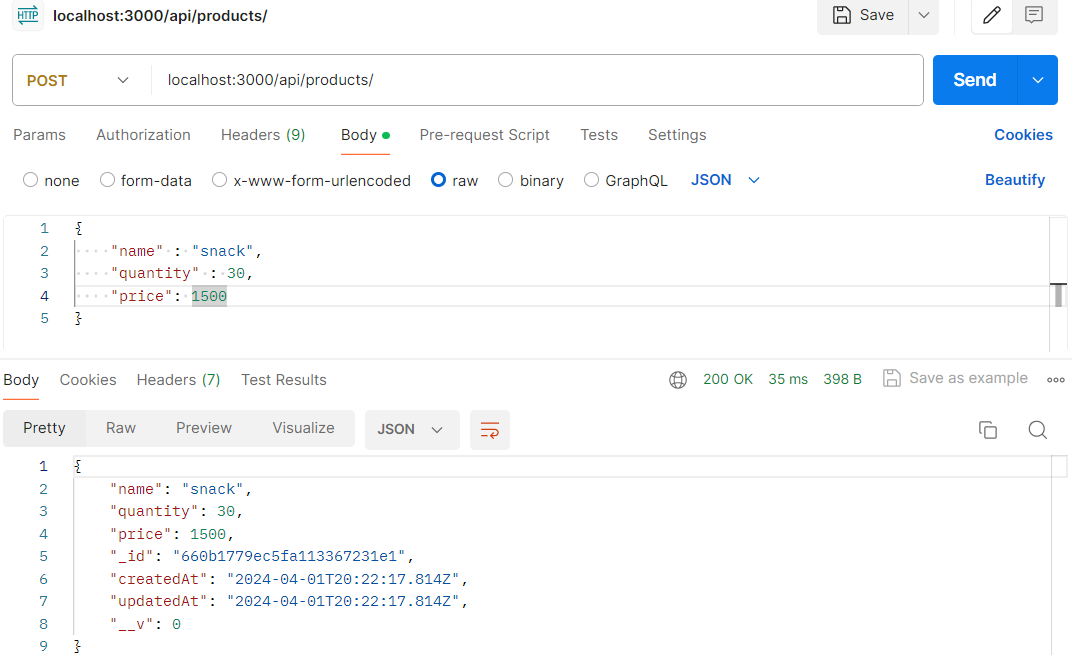
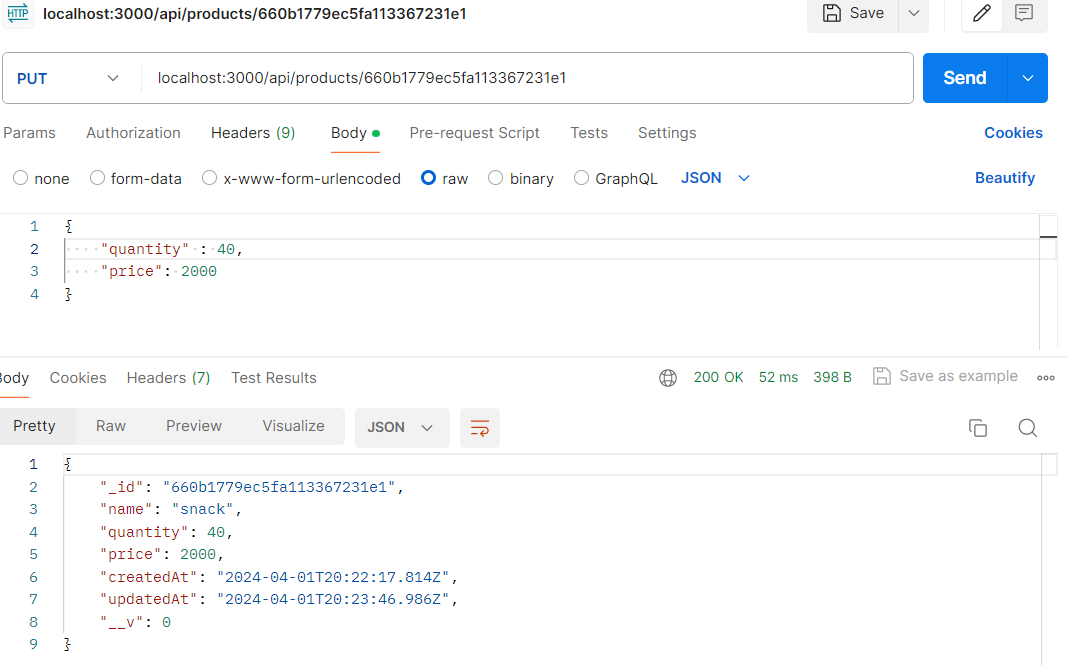
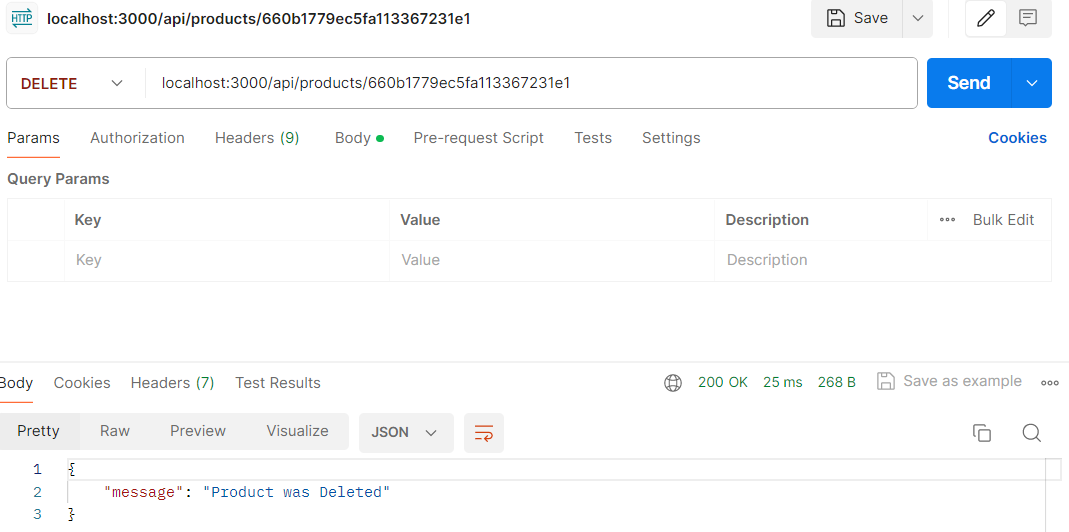
실행 결과 (Postman)